1
/
of
6
COOwearecommittedtoprovidinghigh-qualityandcost-effectiveproductsEmpoweringyoutocreateabrighterfuture
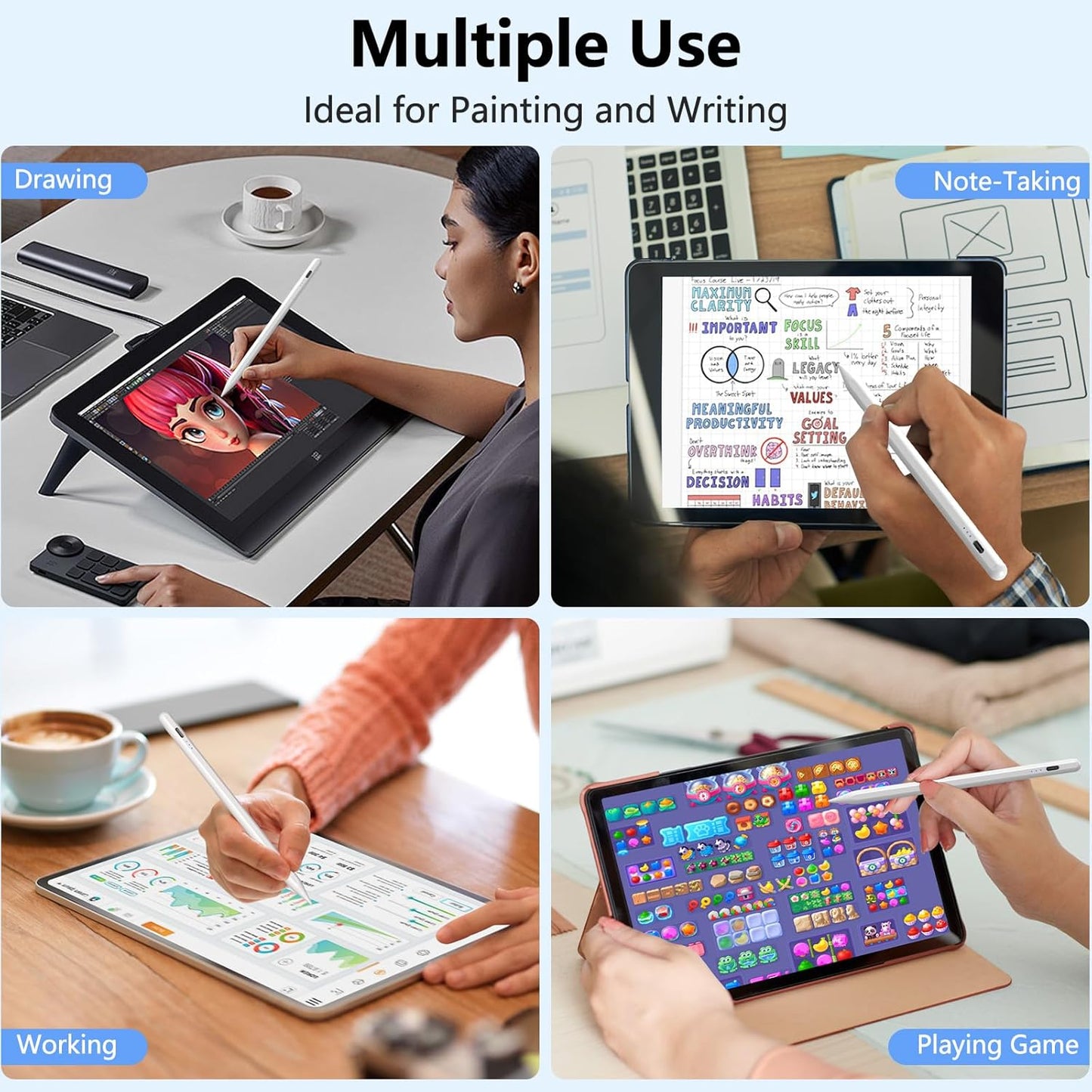
Stylus Pen for iPad 2018-2025 with Palm Rejection, Active Pencil for iPad 10th/9th/8th/7th/6th Generation, for iPad Pro 11/12.9 inch, for iPad Air 5th/4th/3th Gen, for iPad Mini 6th/5th Gen (White)
Stylus Pen for iPad 2018-2025 with Palm Rejection, Active Pencil for iPad 10th/9th/8th/7th/6th Generation, for iPad Pro 11/12.9 inch, for iPad Air 5th/4th/3th Gen, for iPad Mini 6th/5th Gen (White)
Regular price
$21.23 USD
Regular price
$21.23 USD
Sale price
Unit price
/
per
Shipping calculated at checkout.
Couldn't load pickup availability
Overview
- Color : White
- Brand : COO
- Material : Aluminum
- Number of Batteries : 1 Lithium Ion batteries required. (included)
- Item Weight : 70 Grams
- Compatible Devices : Compatible with iPad 11th/10th/9th/8th/7th/6th Generation; Compatible with iPad Pro 12.9"/11" (2018-2024); Compatible with iPad Air 7th/6th/5th/4th/3rd Generation; Compatible with iPad Mini 6th/5th Generation (Not compatible with iPad before 2018 and iPad mini 7th Gen, and also not compatible with iPhone, Android and window devices), For iPad 2022 (10th gen) A2696 / A2757 / A2777 ; For iPad 2021 (9th gen) A2602 / A2604 / A2603 / A2605 ; For iPad Air 2022 ( 5th gen) A2588 / A2589 / A259 ; For iPad Air 2020 ( 4th gen) A2072 / A2316 / A2324 / A2325 ; For iPad Air 2019 ( 3rd gen) A2152 / A2153 / A2154 / A2123 ; For iPad mini (6th gen) A2567 / A2568 / A2569 ; For iPad mini (5th gen) A2124 / A2125 / A2126 / A2133 ; For iPad 2020 (8th gen) A2270 / A2428 / A2429 / A2430 ; For iPad 2019 (7th gen) A2197 / A2198 / A2200 ; For iPad 2018 (6th gen) A1893 / A1954 ; For iPad Pro 12.9 inch (2018-2023) A1876 / A2014 / A1895 / A1983 / A2229/ A2069 / A2232 / A2233 / A2378 / A2461 / A2379 / A2462 / A2436 / A2764 / A2437 / A2766 ; For iPad Pro 11 inch (2018-2023) A1980 / A2013 / A1934 / A1979 / A2228 / A2068 / A2230 / A2231 / A2377 / A2459 / A2301 / A2460 / A2759 / A2435 / A2761 / A2762, ✩ NOTE: 1. Not compatible with iPad before 2018, iPhone, Android and Windows devices; 2. Not Compatible with iPad Pro 12.9" (1st/2nd Gen), Compatible with iPad Pro 9.7"/10.5"; 3. Please confirm your devices before you place an order; 4. For iPad system must be updated to iOS 12.2 or above. 5. Turn On: Please long-press the top of the stylus pen for about 3 seconds, until the blue indicator light, the stylus pen is turned on and enters the working mode Compatible with iPad 11th/10th/9th/8th/7th/6th Generation; Compatible with iPad Pro 12.9"/11" (2018-2024); Compatible with iPad Air 7th/6th/5th/4th/3rd Generation; Compatible with iPad Mini 6th/5th Genera… See more
- Item dimensions L x W x H : 6.3 x 0.39 x 0.39 inches
- Are Batteries Included : Yes
- Batteries Required? : Yes
- Charging Time : 15 minutes
About this item
- ✅【Universal Compatibility】Compatible for iPad 2018 and later versions, including for iPad 11th/10th/9th/8th/7th/6th Generation, for iPad Air 3rd/4th/5th/6th/7th Gen, for iPad mini 5th/6th Gen, for iPad Pro 2018-2025(12.9"/11"). ✩ NOTE: Not compatible with iPad before 2018 and iPad mini 7th Gen, and also not compatible with iPhone, Android and window devices. The IOS system needs to be upgraded to version 12.2 or above to use Stylus normally
- ✅【Fast Charging & Long Standby】This stylus pen supports 10 hours of continuous use and 180 days long term standby for only 15 Minutes per charging. It will automatically shut down after idle for 5 minutes to save power
- ✅【Tilt Sensitive and High Precisely】The stylus pen for on iPad is sensitive to pressure and tilt, tilt at different angles can draw different strokes of thickness. 1.2mm fine point nib provides precisely and smoothly writing feeling, no noise, no skip, and no lag
- ✅【Easy to Connect with iPad】No need to setting Bluetooth or install any apps, just turn on this stylus pen by simply touching the switch on the pencil top for 2 seconds, it will turn on and connect with to iPad automatically. Super easy to use
- ✅【Palm Rejection Design】With this stylus pen, when drawing, sketching, and note-taking, no need to keep your hand away from on iPad touch screen or wear gloves. The palm rejection bringing you a real writing experience
- ✅【Warm reminder】If it doesn't work, please follow step 1 or step 2 below: ① Go to Settings>Bluetooth>Turn off Bluetooth; ② a. Go to Settings > for Apple Pencil > Turn off "Only Draw with Apple Pencil" ② b. Settings > Notes > Turn off "Only Draw with Apple Pencil"
Share